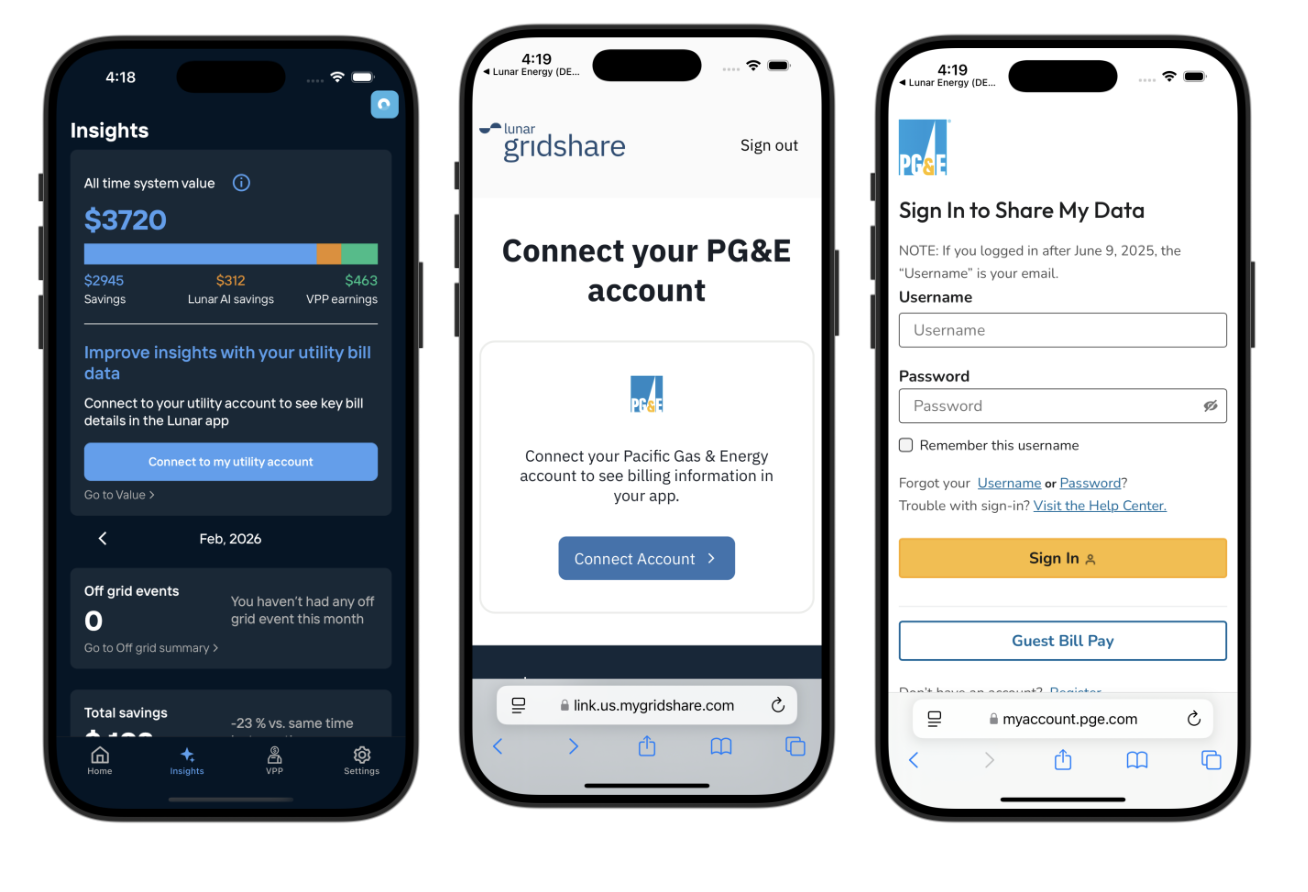
Connect your PG&E account
Customers in the PG&E service area can now connect their utility account to their Lunar account. This allows you to view your most recent PG&E bill in the app, at the top of the Insights page. If you're with a Community Choice Aggregator (CCA), the bill amount shown only reflects charges from PG&E. Your CCA generation charges are not included, as PG&E does not share CCA billing data with us.
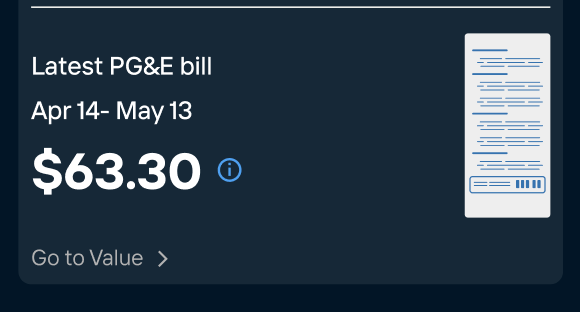
We're working on helping you better understand how your Lunar System affects your bill, and on connecting with other utilities.
How to connect your PG&E account
Before starting this flow, please have your PG&E account credentials to hand.
1. Open the Lunar App and go to the Insights page.
2. Tap the 'Connect to my utility account' button. This will open our 'LINK' browser.
3. Tap the ‘Connect now’ button.
4. Sign in to your PG&E account.
5. On the data sharing screen, please verify the following settings:
a. Data Types: Confirm that all 5 data types are selected.
b. Service ID: Confirm the Service ID for your home with the Lunar System installed is selected.
c. Access Duration: Ensure the duration is set to Indefinite.
6. Read the Terms & Conditions and select Submit.
Note: When returning to the Lunar App, you may need to close and restart the app before the utility billing features appear.